

Dashlane Password Manager
Comments
Password Protection That Stays Out of Your Way
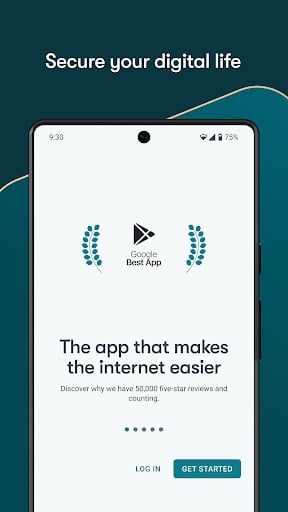
Editor's Note Dashlane tries to make digital security feel less like homework. In the United States and across Europe, adults increasingly rely on phones and tablets for banking, medical portals, travel bookings, and staying in touch with children and grandchildren. Dashlane combines encrypted storage, autofill, breach-related alerts, and—on paid plans—extras such as a VPN for public Wi-Fi. The layout tends toward clear labels and generous spacing, which helps when you are reading outdoors, at night at home, or whenever you simply want the screen to explain itself without hunting through nested menus.
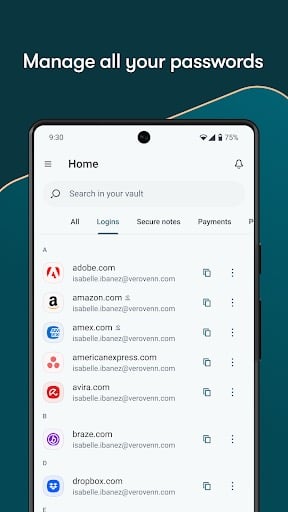
Core Functionality: Save Once, Sign In Easily At its core, Dashlane is a vault. You save usernames and passwords once, and the app offers them again when you return to the same app or website. That reduces the cognitive load of remembering whether your bank password ended with an exclamation point or a number. It also reduces the temptation to reuse one memorable password everywhere, which is one of the riskiest habits online.
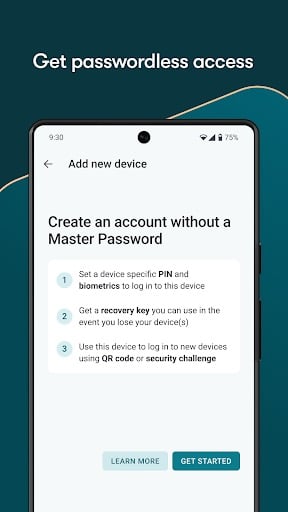
Guided Setup You Can Spread Over Time Dashlane walks you through creating a master password and adding a first batch of accounts. You do not have to enter your entire life in one sitting. Many people start with email, banking, and one or two shops they use weekly, then add more entries when they next log in naturally. Slow adoption often sticks better than an ambitious weekend project that feels overwhelming.
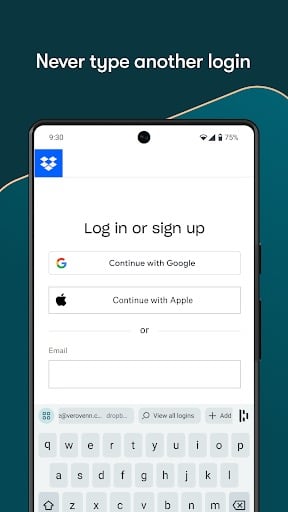
Autofill and a Built-In Password Generator When you create a new account, Dashlane can suggest a long random password and save it immediately. You may never see that password again except inside the vault, which is fine: the point is that humans no longer need to invent and memorize dozens of unrelated strings. Autofill then places the right credentials into the right fields, which is faster and usually more accurate than typing by hand on a touchscreen.
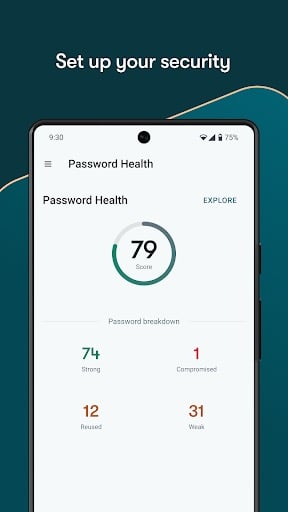
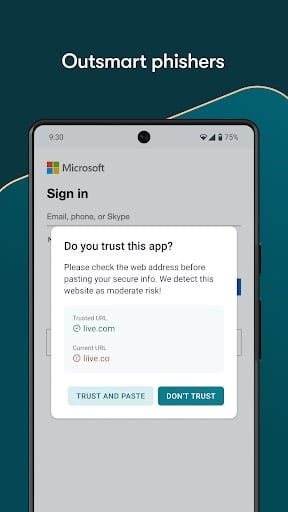
Dark Web Monitoring Explained Simply Dashlane can watch for signs that your email or passwords appeared in known leaks. If it finds a match, you get an alert so you can change the affected password and, where possible, add a second factor such as an authenticator code. Alerts are not a guarantee that nothing bad can happen, but they turn silent risks into visible tasks you can finish on your own schedule.
Designed for Daily Life, Not Just Power Users Clear Screens and Logical Menus Icons and text are spaced for readability. That sounds minor until you have tried to read gray-on-gray microtext on a sunny day. Dashlane’s design choices matter for anyone who prefers straightforward navigation over dense technical dashboards.
Biometric Unlock On supported devices, you can unlock the vault with a fingerprint instead of typing your master password repeatedly. That is convenient when your hands are full, when you are wearing reading glasses on and off, or when you simply want to check one fact quickly without a long unlock ritual.
VPN on Public Wi-Fi (Premium) Paid plans may include a VPN for extra protection on shared networks at cafés, hotels, airports, or libraries—places where people often check balances or email out of habit even though the network is not fully trusted. A VPN is not a license to ignore other precautions, but it adds a useful layer when you must connect away from home.
Sharing Without Texting Passwords in the Clear Dashlane offers ways to share selected items with family members through its own tools instead of copying passwords into SMS or email where they linger in plain text. That helps with shared streaming accounts, household utilities, or helping a relative troubleshoot a login from another city.
Practical Considerations Dashlane generally earns praise for ease of use, though the fullest feature set sits behind a subscription after the trial. If you want breach alerts, polished autofill, and an experience that feels approachable on day one, it is a strong candidate. Pair the app with basics: keep your phone locked, update software, pause before clicking urgent links, and store your master password somewhere safe that family can find in a true emergency. With those habits, Dashlane can support a steadier, more confident routine online—one login at a time.
Screenshots
You May Also Like

Google Photos
Photography

Microsoft OneDrive
Productivity

Dropbox: Secure Cloud Storage
Productivity
1Password: Password Manager
Productivity

LastPass Password Manager
Productivity

Dashlane Password Manager
Productivity
Blood Pressure App: BP Monitor
Health & Fitness

Heart Monitor: Measure BP & HR
Medical

Water Tracker: WaterMinder app
Health & Fitness

First Aid: American Red Cross
Health & Fitness

Zocdoc - Find and book doctors
Medical

OneTouch Reveal app
Medical
Top Download Apps

Google Photos
Photography

Microsoft OneDrive
Productivity

Dropbox: Secure Cloud Storage
Productivity

1Password: Password Manager
Productivity

LastPass Password Manager
Productivity

Dashlane Password Manager
Productivity

Blood Pressure App: BP Monitor
Health & Fitness

Heart Monitor: Measure BP & HR
Medical

Water Tracker: WaterMinder app
Health & Fitness

First Aid: American Red Cross
Health & Fitness