

LastPass Password Manager
Comments
The Last Password You Memorize—With Help Filling In the Rest
Editor's Note Across the United States and Europe, millions of people already know the LastPass name. The Android app sticks to a simple idea: you memorize one master password, and LastPass stores and types the others when you shop, bank, read the news, or check in with family online. For anyone who finds password rules confusing or who gets tired of tapping on glass keyboards, that promise matters. The app is not magic—it cannot stop every scam—but it can reduce everyday friction and make good habits easier than bad ones.
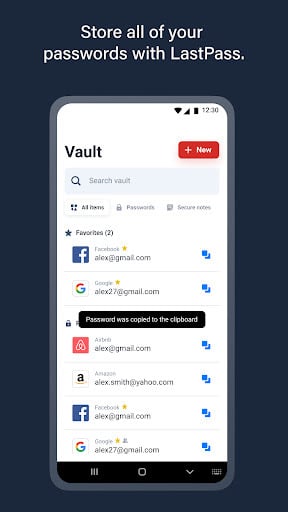
Core Functionality: A Vault That Works in the Background LastPass centers on a vault where each saved login has a title, username, and password. When you sign in to a service for the first time, LastPass can offer to save what you typed. Later, when you return, it can autofill the fields. You can also add items manually if you prefer to set things up slowly over a weekend. The goal is steady progress: a fuller vault means less mental clutter next month than this month.
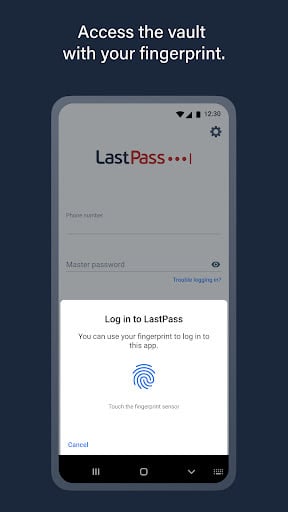
One Master Password and Biometrics Your master password unlocks the vault. Choose something you can remember under stress but that a stranger could not guess from public information about you. On many phones, you can add fingerprint unlock so you are not typing the master password every time you open the app. That balance—strong vault protection with convenient daily access—is what makes a manager usable long term.
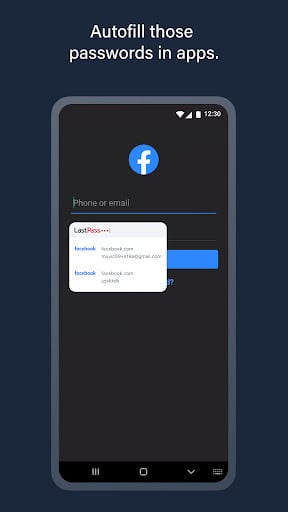
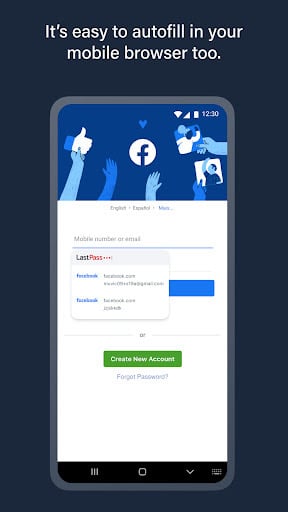
Autofill Across Apps and Browsers LastPass works with many Android browsers and apps through the platform’s autofill system. When a login form appears, you may see a suggestion bar from LastPass. Accepting it fills username and password in one step. That is a relief for wrists and eyes alike, and it helps avoid the small mistakes that lead to account lockouts after several failed attempts.
More Than Passwords: Cards and Notes The vault can also store payment cards for checkout, membership numbers, and free-form notes. If you are trying to move away from paper lists in a kitchen drawer, moving those details into an encrypted vault can feel safer, especially if you travel or if visitors sometimes use your Wi-Fi. You decide what belongs there; empty categories do not get in your way.
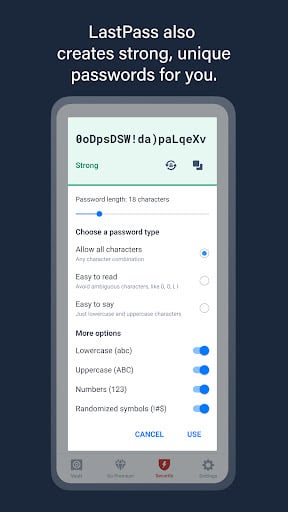
Password Health Without Jargon LastPass includes tools that flag reused or weak passwords and suggest stronger replacements. You do not need to understand hashing algorithms to benefit. The important idea is simple: when one website leaks data, criminals try the same email and password pairs elsewhere. Unique passwords contain the damage. The app’s generator can create long random passwords you never have to memorize because LastPass fills them for you.
Free Tier and Premium A free tier still exists for core use, which makes LastPass an easy app to try before paying. Premium features often matter if you want seamless sync across several kinds of devices or more advanced sharing. Read the current plan details in the store listing before you subscribe, because offerings change over time.
Security History and How to Decide It is fair to acknowledge that LastPass has had serious public security incidents in the past. The company has described remediation work and encouraged users to update master passwords and follow new guidance. Some people switched products after those events; others stayed because they liked the workflow and felt comfortable with the updated controls. There is no single right answer for every household. If you value a familiar interface, a large community of users, and a gradual path from paper passwords to a vault, LastPass can still be a practical stepping stone—especially if someone you trust can sit with you for the first setup on your phone.
Everyday Habits That Pair Well With LastPass Keep your Android system and browser updated. Turn on screen lock for your phone. Treat messages that rush or threaten you with suspicion, even if they look official. A password manager helps most when it sits alongside cautious habits: unique passwords, careful clicking, and a willingness to ask a family member or friend when something looks odd. Used that way, LastPass can make the online parts of life a little lighter.
Screenshots
You May Also Like

Google Photos
Photography

Microsoft OneDrive
Productivity

Dropbox: Secure Cloud Storage
Productivity
1Password: Password Manager
Productivity

LastPass Password Manager
Productivity

Dashlane Password Manager
Productivity
Blood Pressure App: BP Monitor
Health & Fitness

Heart Monitor: Measure BP & HR
Medical

Water Tracker: WaterMinder app
Health & Fitness

First Aid: American Red Cross
Health & Fitness

Zocdoc - Find and book doctors
Medical

OneTouch Reveal app
Medical
Top Download Apps

Google Photos
Photography

Microsoft OneDrive
Productivity

Dropbox: Secure Cloud Storage
Productivity

1Password: Password Manager
Productivity

LastPass Password Manager
Productivity

Dashlane Password Manager
Productivity

Blood Pressure App: BP Monitor
Health & Fitness

Heart Monitor: Measure BP & HR
Medical

Water Tracker: WaterMinder app
Health & Fitness

First Aid: American Red Cross
Health & Fitness