
1Password: Password Manager
Comments
One Master Password for a Calmer Online Life
Editor's Note If you live in the United States or Europe, much of daily life now runs through a screen: checking a bank balance before a trip, refilling a prescription, booking a train ticket, or simply replying to a grandchild’s message. Each service asks for a password, and it is tempting to reuse the same word everywhere or to write passwords on sticky notes. 1Password is built for people who want order without becoming IT professionals. You keep one strong master password—or unlock with your fingerprint—and the app remembers the rest in an encrypted vault. That single habit can reduce stress, cut down on lockouts, and make it easier to help each other in a household when someone needs to pay a bill or log in to a shared account.
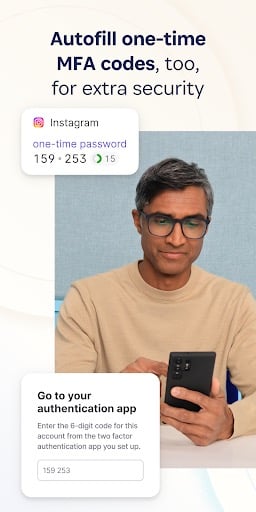
Why Passwords Feel Harder Than They Used To Websites now insist on longer combinations, and many accounts add a second step such as a text code. It is easy to mistype on a small keyboard, and it is common to forget which variation you used last year. A password manager does not remove every inconvenience, but it removes the need to memorize dozens of unrelated strings. Instead, you open 1Password, find the right entry, and let it fill the username and password fields for you. Over a few weeks, that rhythm becomes second nature.
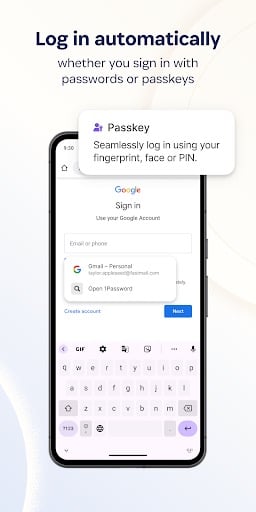
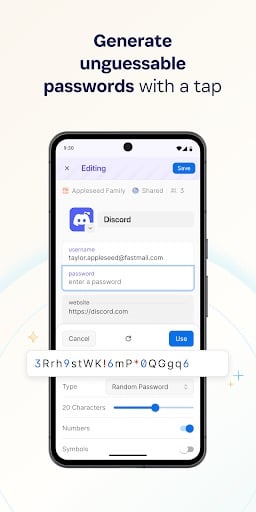
Core Functionality: Organized Storage and Automatic Sign-In 1Password behaves like a locked filing cabinet that travels with your phone or tablet. After you install it and walk through the short setup, you can add accounts in two ways: import a list if you already have one, or—more often—save logins as you go. When you sign in to a site the old-fashioned way once, 1Password can offer to remember it. The next visit is faster because the app recognizes the page and offers to autofill. You still control what gets saved; nothing is added without your consent.
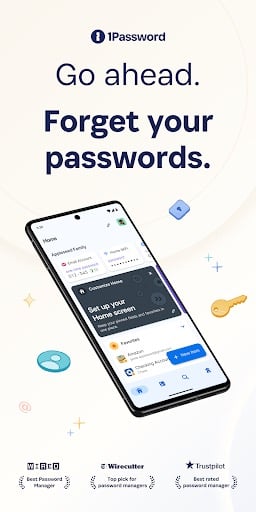
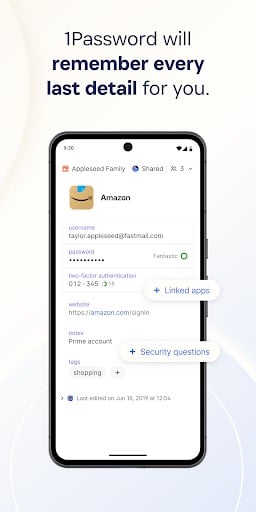
Simple Vault, One Key to Unlock The vault is the heart of the product. You choose one master password that unlocks everything else. Pick something long enough to resist guessing, but memorable enough that you will not lose it. Many people also enable fingerprint or face unlock on the device so they are not typing the master password on every use. Inside the vault, each item has a clear title—your bank, your email provider, your airline—so you can search quickly instead of scrolling through a messy list.
Autofill on Websites and Apps On Android, 1Password integrates with supported browsers and many apps. When you tap a login field, you may see a 1Password prompt that fills username and password together. That is especially helpful if your eyes tire from reading tiny text or if you prefer not to hunt through a paper notebook in public. Fewer manual keystrokes also mean fewer typos that trigger “incorrect password” warnings and temporary lockouts.
Secure Notes for Real Life Passwords are not the only sensitive details worth protecting. You can store insurance cards, frequent-flyer numbers, Wi-Fi passwords for guests, or instructions for a home alarm in secure notes. Because the data is encrypted on your device and protected by the same vault, you can carry copies of important information without photographing cards into an ordinary photo album where anyone who picks up the phone could see them.
Watchtower and Safer Habits Watchtower is 1Password’s feature that checks whether websites you use have disclosed breaches and whether your passwords are weak or reused. It does not panic you with jargon; it points to specific items and suggests practical next steps, such as changing a password or turning on two-factor authentication where available. For anyone who has used the same password on more than one site for years, those reminders are worth taking seriously, because criminals often try leaked passwords on other services.
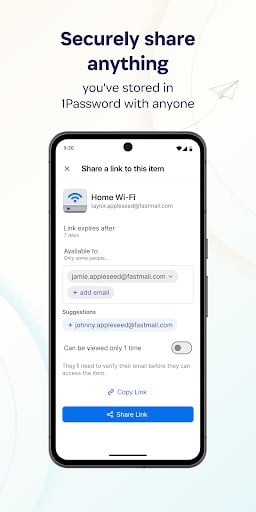
Family Plans and Trusted Sharing Households often share a few logins: utilities, streaming, a grocery delivery service. 1Password’s family plan lets you share only what you choose, with people you trust, without sending passwords through email or text where they can be copied. You can also leave emergency access instructions for a partner, which is a sobering topic but useful when life changes quickly.
Practical Considerations 1Password is a subscription product after its trial, and the app offers more depth than the bare minimum. If you want a polished experience, strong security reputation, and room to grow as you add accounts over time, it rewards a modest learning curve. Pair it with good device habits—keep your phone updated, do not share your master password, and pause before clicking links in unexpected messages—and you will have a calmer, more organized online routine.
Screenshots
You May Also Like

Google Photos
Photography

Microsoft OneDrive
Productivity

Dropbox: Secure Cloud Storage
Productivity
1Password: Password Manager
Productivity

LastPass Password Manager
Productivity

Dashlane Password Manager
Productivity
Blood Pressure App: BP Monitor
Health & Fitness

Heart Monitor: Measure BP & HR
Medical

Water Tracker: WaterMinder app
Health & Fitness

First Aid: American Red Cross
Health & Fitness

Zocdoc - Find and book doctors
Medical

OneTouch Reveal app
Medical
Top Download Apps

Google Photos
Photography

Microsoft OneDrive
Productivity

Dropbox: Secure Cloud Storage
Productivity

1Password: Password Manager
Productivity

LastPass Password Manager
Productivity

Dashlane Password Manager
Productivity

Blood Pressure App: BP Monitor
Health & Fitness

Heart Monitor: Measure BP & HR
Medical

Water Tracker: WaterMinder app
Health & Fitness

First Aid: American Red Cross
Health & Fitness