

Microsoft OneDrive
Comments
OneDrive: Files and Photos That Follow You
Editor's Note Many households in the United States and Europe now mix paper and digital life: tax PDFs, medical letters, photos from a phone, and Word documents from a laptop. Microsoft OneDrive is Microsoft’s cloud storage app. It backs up files, syncs them across devices, and integrates tightly if you already use Office on a phone, tablet, or computer. You do not need to understand servers or networking jargon. Think of OneDrive as a drawer in the sky that opens on whichever screen you are using, as long as you sign in with the same Microsoft account.
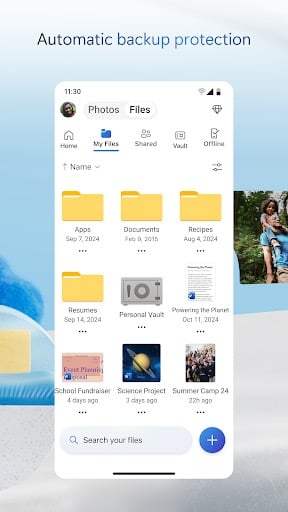
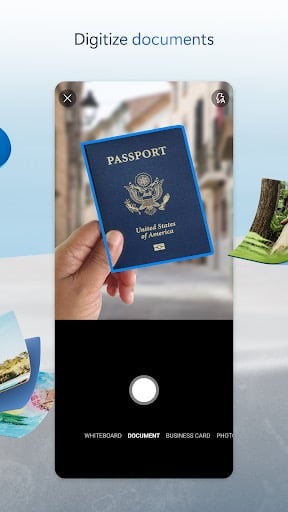
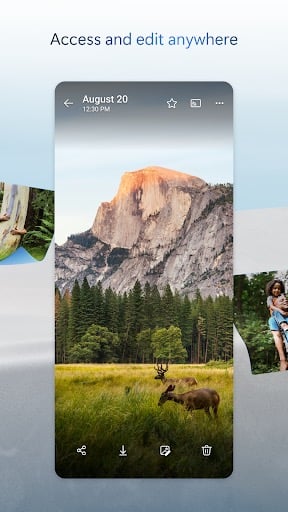
Core Functionality: Store, Sync, and Share OneDrive creates a folder structure you can browse in the app. Save a spreadsheet, scan a document with your phone’s camera into a folder, or move photos off your device to free space. Changes often sync automatically when you edit a file on another device. That helps when you start a letter on a desktop and finish it on a tablet in the living room.
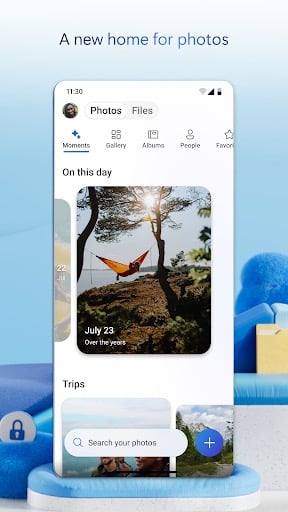
Camera Upload for Photos Automatic camera upload can copy new pictures from your phone to OneDrive, similar to other cloud photo services. This is useful if your phone warns that storage is full but you are not ready to delete memories. You can choose to upload only on Wi-Fi to avoid mobile data charges while traveling in Europe or rural areas with limited signal.
Office Integration If you use Microsoft Word, Excel, or PowerPoint, OneDrive is the natural home for those files. Sharing a link for viewing or editing is straightforward for co-authoring a family budget or a club newsletter. Even if you only view documents, having them centralized reduces the hunt through email attachments.
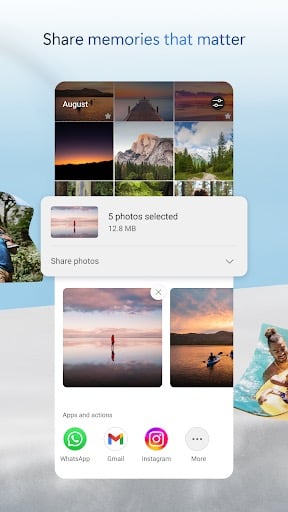
Sharing and Permissions You can share folders with specific people and set whether they can edit or only read. That is safer than sending unsecured copies back and forth. Review shared items a few times a year and remove access that is no longer needed.
Security and Sign-In Protect your Microsoft account with a strong password and two-step verification. OneDrive benefits from Microsoft’s enterprise-grade security practices, but your habits still matter: do not click unexpected links asking you to “verify” your account, and keep your phone’s screen lock enabled.
Storage Limits and Microsoft 365 Free accounts include a modest storage allotment; Microsoft 365 subscriptions typically bundle more space and Office apps. Check the current offer in the app before you upload terabytes of video. For many people, OneDrive plus Microsoft 365 is a good fit if they already pay for Office at home.
Practical Considerations OneDrive shines when you live partly in Microsoft’s world and want one account for documents and photos. Setup takes a short session with Wi-Fi; initial uploads may take hours if your library is large. With patient configuration and basic account security, OneDrive can simplify backup, sharing, and everyday file access without turning you into a system administrator.
Screenshots

You May Also Like

Google Photos
Photography

Microsoft OneDrive
Productivity

Dropbox: Secure Cloud Storage
Productivity

1Password: Password Manager
Productivity

LastPass Password Manager
Productivity

Dashlane Password Manager
Productivity
Blood Pressure App: BP Monitor
Health & Fitness

Heart Monitor: Measure BP & HR
Medical

Water Tracker: WaterMinder app
Health & Fitness

First Aid: American Red Cross
Health & Fitness

Zocdoc - Find and book doctors
Medical

OneTouch Reveal app
Medical
Top Download Apps

Google Photos
Photography

Microsoft OneDrive
Productivity

Dropbox: Secure Cloud Storage
Productivity

1Password: Password Manager
Productivity

LastPass Password Manager
Productivity

Dashlane Password Manager
Productivity

Blood Pressure App: BP Monitor
Health & Fitness

Heart Monitor: Measure BP & HR
Medical

Water Tracker: WaterMinder app
Health & Fitness

First Aid: American Red Cross
Health & Fitness